Note
Click here to download the full example code
Animation of a zoom
Some Setup
There are multiple ways to animate a zoom with matplotlib. This package use one very close to the one below.
import chaoseverywhere as chaos
import matplotlib.pyplot as plt
import matplotlib.animation as animation
See a self-similar structure
The Mandelbrot set is clearly not a self-similar object. But inside it, we can see structures repeating themselves.
plt.figure()
plt.axis('off')
plt.imshow(chaos.Mandelbrot_disp(-1, -.3, 0.4-110/300,
            t_max=100,
            precision=400).mandelbrot(), cmap='bone')
plt.show()
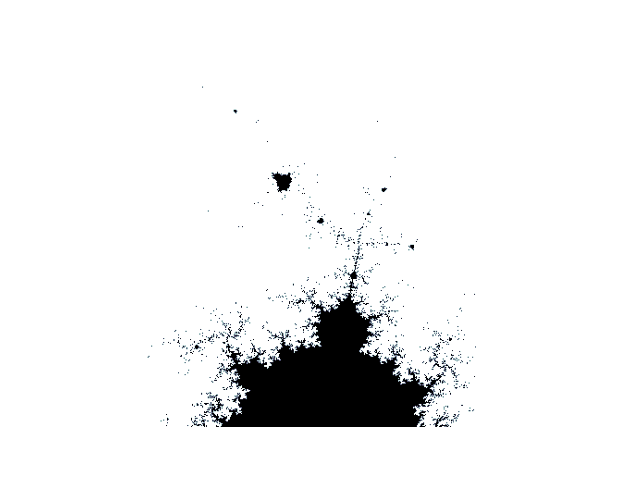
One way to animate a zoom
im_init = chaos.Mandelbrot_disp(-.5,0,1.5)
im_init = im_init.mandelbrot()
fig = plt.figure()
im = plt.imshow(im_init, cmap='bone', animated=True)

ims = []
for i in range(150):
    im = plt.imshow(chaos.Mandelbrot_disp(-1, -.3, 0.4-i/300,
            t_max=100,
            precision=400).mandelbrot(), animated=True, cmap='bone')
    ims.append([im])
ani = animation.ArtistAnimation(fig, ims, interval=50)
plt.show()
This is one way to display the animation. However, one might want a shorter way. And forntunatly, this is what this package provides.
chaos.Mandelbrot_disp(-.5,0,1.5).animate_mandel_plt()
The video
This package uses FFMPEG as writer to create and save this animation. Because of the symmetry, we zoomed in on the point \(-1-0.3i\) and we can play with the number of frames to end the animation with a zoom out from the point \(-1+0.3i\).
Total running time of the script: ( 0 minutes 0.189 seconds)